


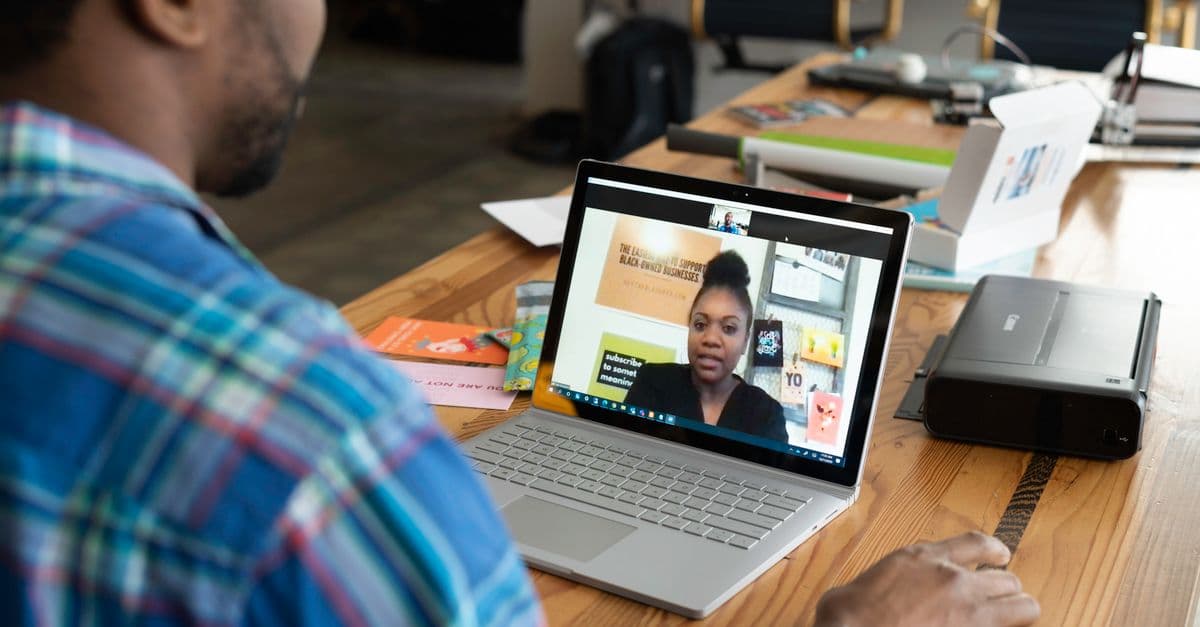
Last week Microsoft just dropped a bomb that sent panic across the industries. Microsoft announced that after two decades of services, it’s winding down Skype permanently from May 2025. Yes! post May 2025, our beloved communication tool would no longer be available to provide it’s services. For many, this is can be an emotional moment as Skype was unarguably the first communication tool to be used. Over the years everyone has used Skype at least once.
Post this news, we have seen a state of panic for finding an alternative solution to Skype in a way where the needs are sufficed to what Skype provided over the years. Though in back of the mind we are aware about the alternatives to Skype, we haven’t given much of a thought for this use case. This is a forced change which everybody will need to adapt to and whenever there is forced change to accept an alternative, due diligence is needed. While it can be easy to select any available Skype alternative, understand the alternative and comparing it with Skype on various parameters is an essential thing before selecting one. In this blog, we have tried to compare each alternative with Skype on various parameters which are essential and gives a clear picture on whether the alternative suits your needs.
Top 9 Skype alternatives to choose from in 2025
According to Nimblechapps, these are some of th best and suited Skype alternatives to use after May 2025. Microsoft Teams, Zoom, Google Meet, Discord, Cisco Webex, Jisti Meet, Whereby, TrueConf, GoTo Meeting. Let’s explore each in detail below.
Microsoft Teams
https://www.microsoft.com/en-in/microsoft-teams/group-chat-software
Developed and launched by Microsoft in 2017, it’s direct replacement to Skype as stated by the Microsoft itself and it seems that they are planning to promote Teams to be their main collaboration cum communication tool and might have influenced the decision of winding down Skype after years. It provides a comprehensive solution for team collaboration, integrating chat, video conferencing, file sharing, and deep integration with Microsoft 365 applications.
Distinctive feature
Native integration with Microsoft 365, allowing real-time document collaboration within the same interface.
Best for
Businesses, teams using Microsoft products, webinars, corporate meetings.
-
PARAMETERS
-
Microsoft Teams
-
Skype
-
Call & Video Quality
-
HD Video, AI noise suppression
-
HD Video & Audio
-
Group Call Capacity
-
100 (free), upto 300 (paid)
-
100 (free or paid)
-
Messaging & File Sharing
-
Yes, integrates with Office 365
-
Yes, file sharing
-
Screen Sharing & Collaboration
-
Yes, whiteboard & live collaboration
-
Yes
-
Security & Privacy
-
End-to-end encryption, Microsoft 365 security
-
AES 256-bit encryption, Microsoft-owned
-
Cost & Plans
-
Free, paid from $7.5/month/user (Home Plan)
-
Mostly free. Includes purchasing Skype credits for plans and number purchase.
-
Integration & Ecosystem
-
Deep integration with Microsoft 365
-
Microsoft products, third-party apps
Zoom
A platform that gained immense eyeballs during the CoVID19 for its ease of use, reliable video calls, and ability to host large-scale virtual meetings. Zoom is a widely used video conferencing and online meeting platform founded by Eric Yuan in 2011. The platform serves businesses, educational institutions, and event organizers looking for high-quality video communication solutions. Zoom supports HD video and audio, virtual backgrounds, breakout rooms, and cloud recording, making it ideal for professional and personal use.
Distinctive feature
High scalability, supporting up to 1,000 participants in meetings with advanced webinar functionalities.
Best for
Webinars, online events, corporate meetings, remote work.
-
PARAMETERS
-
ZOOM
-
Skype
-
Call & Video Quality
-
HD Video, adaptive bitrate
-
HD Video & Audio
-
Group Call Capacity
-
100 (free), upto 500 or 1000 (add-on)
-
100 (free or paid)
-
Messaging & File Sharing
-
Yes, chat & file sharing
-
Yes, file sharing
-
Screen Sharing & Collaboration
-
Yes, breakout rooms & annotations
-
Yes
-
Security & Privacy
-
AES-256 encryption, waiting rooms
-
AES 256-bit encryption, Microsoft-owned
-
Cost & Plans
-
Free, paid from $13/month/user (Workplace)
-
Mostly free. Includes purchasing Skype credits for plans and number purchase.
-
Integration & Ecosystem
-
Google, Slack, Zapier, and more...
-
Microsoft products, third-party apps
Google Meet
https://meet.google.com/landing?pli=1
Google Meet, originally launched as Google Hangouts Meet in 2017, is a video conferencing platform developed by Google as part of its Google Workspace (formerly G Suite). It is designed for both business and personal communication, offering browser-based meetings without requiring additional downloads. Google Meet is widely used for its simplicity, automatic AI-based noise suppression, and seamless integration with Gmail and Google Calendar, making scheduling and joining meetings effortless.
Distinctive feature
No software installation required - meetings run entirely in a web browser with a simple click-to-join process.
Best for
Google users, casual business meetings, personal calls.
-
PARAMETERS
-
Google Meet
-
Skype
-
Call & Video Quality
-
HD Video, AI noise cancellation
-
HD Video & Audio
-
Group Call Capacity
-
100 (free), upto 150 or 1000 (different plans)
-
100 (free or paid)
-
Messaging & File Sharing
-
Yes, with Gmail & Drive integration
-
Yes, file sharing
-
Screen Sharing & Collaboration
-
Yes, whiteboarding
-
Yes
-
Security & Privacy
-
Google security standards, no E2E encryption
-
AES 256-bit encryption, Microsoft-owned
-
Cost & Plans
-
Free, paid from $2/month/user (Starter)
-
Mostly free. Includes purchasing Skype credits for plans and number purchase.
-
Integration & Ecosystem
-
Google Calendar, Gmail, Drive
-
Microsoft products, third-party apps
Discord
Discord is a communication platform founded by Jason Citron and Stan Vishnevskiy in 2015. Discord was originally was launched as a communication too old for games but, has since expanded to cater to a wide range of communities, businesses, and creators. It offers voice, video, and text chat making it ideal for online communities and collaboration. Its unique combination of real-time voice channels and asynchronous messaging makes it stand out from traditional video conferencing platforms.
Distinctive feature
Persistent community-based servers with unlimited voice channels and real-time interaction capabilities.
Best for
Gamers, communities, casual users.
-
PARAMETERS
-
Discord
-
Skype
-
Call & Video Quality
-
HD Voice Channels
-
HD Video & Audio
-
Group Call Capacity
-
Unlimited (per server)
-
100 (free or paid)
-
Messaging & File Sharing
-
Yes, persistent chat
-
Yes, file sharing
-
Screen Sharing & Collaboration
-
Yes, screen sharing in voice channels
-
Yes
-
Security & Privacy
-
Not E2E encrypted, but private servers possible
-
AES 256-bit encryption, Microsoft-owned
-
Cost & Plans
-
Free, Nitro from $9.99/month
-
Mostly free. Includes purchasing Skype credits for plans and number purchase.
-
Integration & Ecosystem
-
Integrates with bots, Twitch, Patreon
-
Microsoft products, third-party apps
Evaluate your idea of App Development without any cost.
Connect Nimblechapps for consultation. Contact us
Cisco Webex
Cisco Webex is an enterprise-grade video conferencing and collaboration platform developed by Cisco Systems, originally launched in 1995 and later acquired by Cisco in 2007. Webex is known for its high-security standards, AI-powered meeting enhancements, and strong focus on business communication. It is widely used by corporations, healthcare institutions, and government agencies that require encrypted and compliant video conferencing.
Distinctive feature
AI-powered features like real-time transcription, noise suppression, and gesture recognition for improved virtual meeting experiences.
Best for
Enterprises, security-conscious businesses, government organizations.
-
PARAMETERS
-
Cisco Webex
-
Skype
-
Call & Video Quality
-
4K Video, AI enhancements
-
HD Video & Audio
-
Group Call Capacity
-
100 (free), upto 1,000 (paid)
-
100 (free or paid)
-
Messaging & File Sharing
-
Yes, encrypted chat & file sharing
-
Yes, file sharing
-
Screen Sharing & Collaboration
-
Yes, whiteboarding & remote control
-
Yes
-
Security & Privacy
-
Enterprise-grade security, end-to-end encryption
-
AES 256-bit encryption, Microsoft-owned
-
Cost & Plans
-
Free, Paid from $9/month/user
-
100% free
-
Integration & Ecosystem
-
Microsoft 365, Slack, Google Drive
-
Microsoft products, third-party apps
Jisti Meet
Jitsi Meet is a free, open-source video conferencing tool developed by Emil Ivov and released in 2003. It allows users to create and join meetings instantly without requiring accounts or software installations. Unlike commercial solutions, Jitsi Meet can be self-hosted, offering full control over data privacy and security. The platform is widely used by developers, privacy-conscious users, and small organizations looking for a lightweight, no-frills video calling solution.
Distinctive feature
100% free, open-source, and supports self-hosting for complete data privacy control.
Best for
Privacy-focused users, small teams, quick meetings.
-
PARAMETERS
-
Jisti Meet
-
Skype
-
Call & Video Quality
-
HD Video, adaptive bitrate
-
HD Video & Audio
-
Group Call Capacity
-
100 concurrent users
-
100 (free or paid)
-
Messaging & File Sharing
-
Yes, chat & basic file sharing
-
Yes, file sharing
-
Screen Sharing & Collaboration
-
Yes, screen sharing
-
Yes
-
Security & Privacy
-
Open-source, can be self-hosted for full privacy
-
AES 256-bit encryption, Microsoft-owned
-
Cost & Plans
-
100% free
-
100% free
-
Integration & Ecosystem
-
Can be customized for self-hosting
-
Microsoft products, third-party apps
Whereby
Whereby is a simple, browser-based video conferencing platform founded in Norway in 2013. It is designed to offer a frictionless experience with no need for downloads or accounts - users can start or join meetings instantly via a shared link. Whereby is popular among freelancers, consultants, and small teams who need a straightforward video conferencing tool without complex setup requirements.
Distinctive feature
No sign-ups or software downloads required - fully browser-based with a simple link-sharing system.
Best for
Casual video calls, freelancers, simple meetings.
-
PARAMETERS
-
Whereby
-
Skype
-
Call & Video Quality
-
HD Video
-
HD Video & Audio
-
Group Call Capacity
-
200 users per room
-
100 (free or paid)
-
Messaging & File Sharing
-
Yes, basic chat
-
Yes, file sharing
-
Screen Sharing & Collaboration
-
Yes, screen sharing
-
Yes
-
Security & Privacy
-
GDPR-compliant, no downloads
-
AES 256-bit encryption, Microsoft-owned
-
Cost & Plans
-
Free for small teams, paid from $8.99/month
-
100% free
-
Integration & Ecosystem
-
Google Calendar, Slack
-
Microsoft products, third-party apps
TrueConf
TrueConf is a self-hosted video conferencing platform founded in Russia in 2003. It is designed for organizations that require on-premise deployment for maximum security and control over their data. TrueConf supports 4K Ultra HD video conferencing, AI-based noise cancellation, and a range of enterprise communication features. It is widely used in government, healthcare, and corporate sectors where data sovereignty is critical.
Distinctive feature
On-premise deployment option, ensuring full data privacy and independence from cloud-based services.
Best for
Enterprises, secure government communication, offline meetings.
-
PARAMETERS
-
TrueConf
-
Skype
-
Call & Video Quality
-
4K Video, AI noise removal
-
HD Video & Audio
-
Group Call Capacity
-
40 (free), 120(paid)
-
100 (free or paid)
-
Messaging & File Sharing
-
Yes, persistent chat & cloud storage
-
Yes, file sharing
-
Screen Sharing & Collaboration
-
Yes, remote desktop control
-
Yes
-
Security & Privacy
-
On-premise hosting for maximum security
-
AES 256-bit encryption, Microsoft-owned
-
Cost & Plans
-
Free, paid from $12.9/month/host
-
100% free
-
Integration & Ecosystem
-
LDAP, CRM tools, Microsoft 365
-
Microsoft products, third-party apps
GoTo Meeting
GoTo Meeting is a web-based video conferencing and online meeting tool developed by LogMeIn (now GoTo) and launched in 2004. It is known for its reliability, professional-grade features, and strong focus on remote business communication. The platform offers cloud recording, automatic meeting transcriptions, and advanced screen-sharing tools, making it a preferred choice for business meetings, training, and customer support.
Distinctive feature
Built-in transcription and cloud recording features that automatically generate meeting summaries.
Best for
Businesses hosting webinars, online training, professional meetings.
-
PARAMETERS
-
GoTo Meeting
-
Skype
-
Call & Video Quality
-
HD Video, cloud recording
-
HD Video & Audio
-
Group Call Capacity
-
250 participants
-
100 (free or paid)
-
Messaging & File Sharing
-
Yes, chat & file sharing
-
Yes, file sharing
-
Screen Sharing & Collaboration
-
Yes, advanced screen sharing tools
-
Yes
-
Security & Privacy
-
AES-256 encryption, GDPR & HIPAA compliant
-
AES 256-bit encryption, Microsoft-owned
-
Cost & Plans
-
Free trial, paid from $12/month per organizer
-
100% free
-
Integration & Ecosystem
-
Outlook, Slack, Google Calendar
-
Microsoft products, third-party apps
Conclusion
Being in the field of mobile app development since a decade now, we understand the importance of the effective communication and the effect Microsoft winding down Skype will have on the ease of communication and project execution. Over the past 2 decades Skype has been ruling the communication world. This is a brilliant opportunity for the entrepreneurs to start thinking about jumping into the domain of develop a communication and collaborate tool as an offering as people look for the Skype alternatives.
We hope our well researched and thorough study about alternatives to Skype will give you an idea about which communication cum collaboration tool is best for your business setup. If there is any question about migrating Skype chats to the Microsoft Teams or other Skype alternatives, please don’t hesitate to connect with us.